
We’ll let you know about failed subscription payments via:
- Your subscription bookings page on your supplier portal dashboard
- An automated email to you and the customer
Retry schedule
Monthly subscription payments*
- 1st attempt: First attempt (1/4)
- 2nd attempt: + 1 day later (2/4)
- 3rd attempt: + 1 day later (3/4)
- Final attempt: + 3 days later (4/4)
Example, using the date we take regular Subscription payments
- 1st attempt: 1st May (1/4)
- 2nd attempt: 2nd May (2/4)
- 3rd attempt: 3rd May (3/4)
- Final attempt: 6th May (4/4)
All retries happen automatically, no action needed.
*For first payments, remember that the charge date may vary depending on how your Subscription is set up. In the case of a deferred subscription the payment is not taken until the date you define when setting up the activity.
A couple of things to note
- Payments are taken by card, so weekends and bank holidays don’t affect retry dates
- You can see which attempt a payment is on next to Last payment attempt
When to step in
In most cases, you don’t need to do anything.
If a customer asks to retry the payment (for example after topping up their account), it’s best to let the next automatic attempt run.
You only need to step in before the final retry (4/4) if the customer wants to update their payment method.
Sending a payment link
If you need to collect the payment manually:
- Go to Bookings
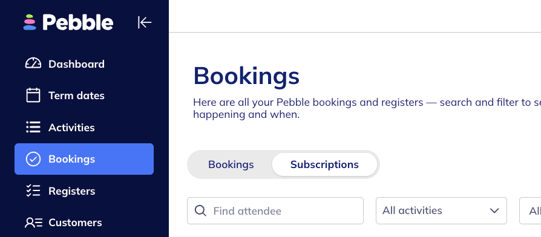
- Click Subscriptions
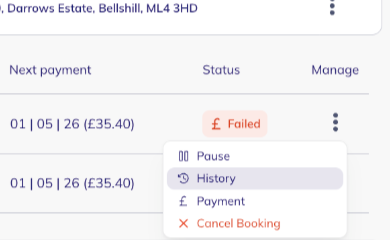
- Find the booking with the failed status
- Click the three dots under Manage
- Select History
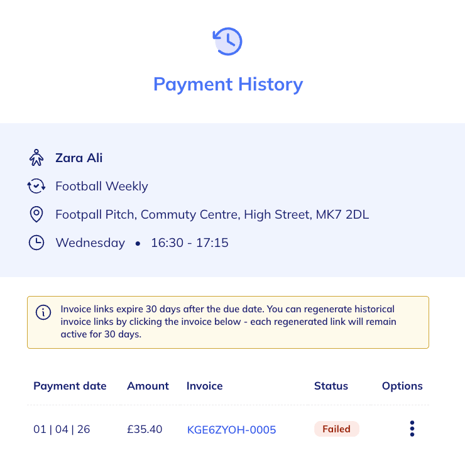
- Click the failed invoice link (blue link)
- Copy the URL from the web page and send it to the customer. An example of the invoice page is shown below
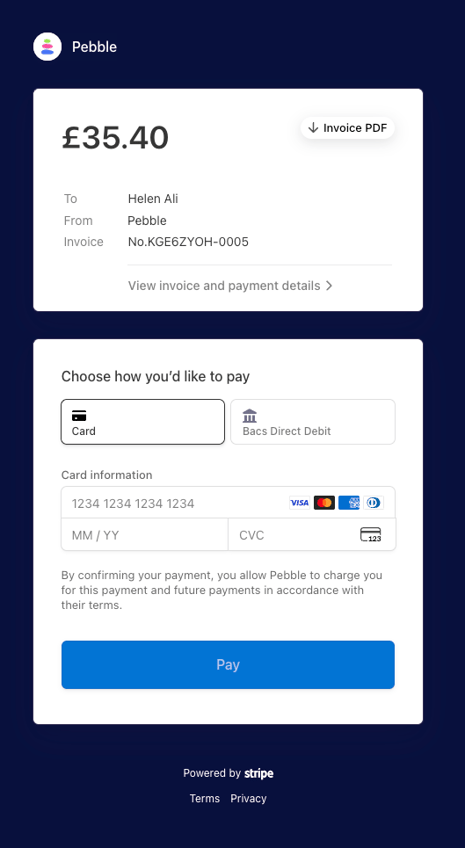
The card used to pay the above invoice is stored for future Subscription payments.
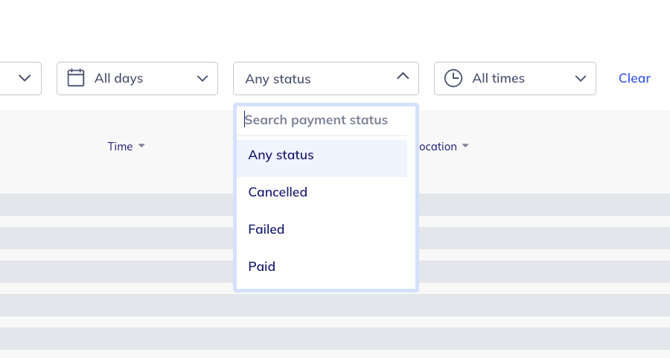
Top tip 💡
Use the Status filter to quickly view Failed payments only.
Cancelling a subscription
If you cancel a subscription straight away:
- Automatic retries will stop
- You’ll need to send a payment link manually to collect anything outstanding. Please do this before you action a cancellation - otherwise you won’t be able to recover the payment link without reaching out to the Pebble Support team.
Why do payments fail?
Most failures are due to insufficient funds or expired cards.
If a customer is sure funds are available and their card has not expired, they’ll need to check with their bank or card provider, as the payment may have been blocked.